Databases: properties, views and formulas
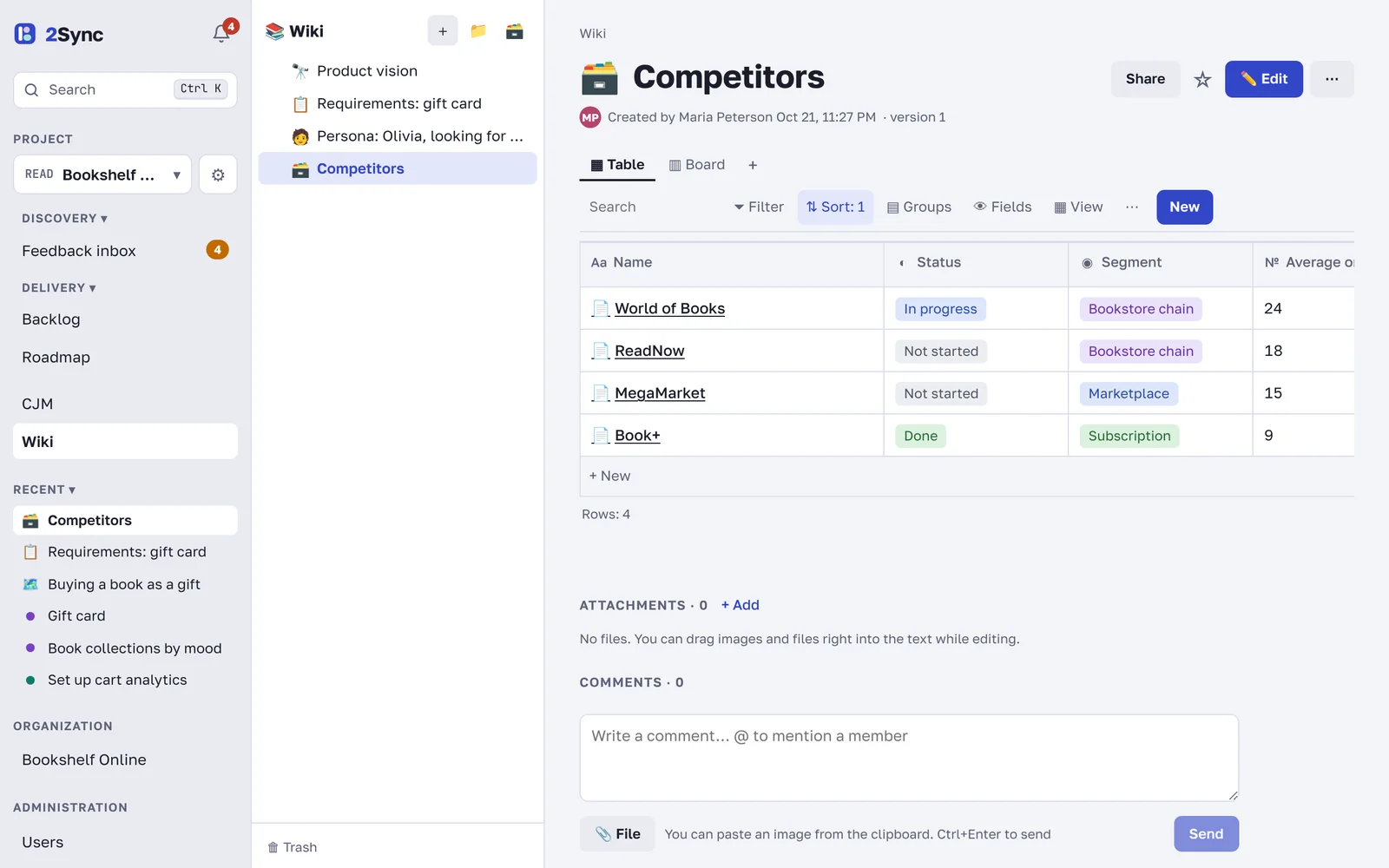
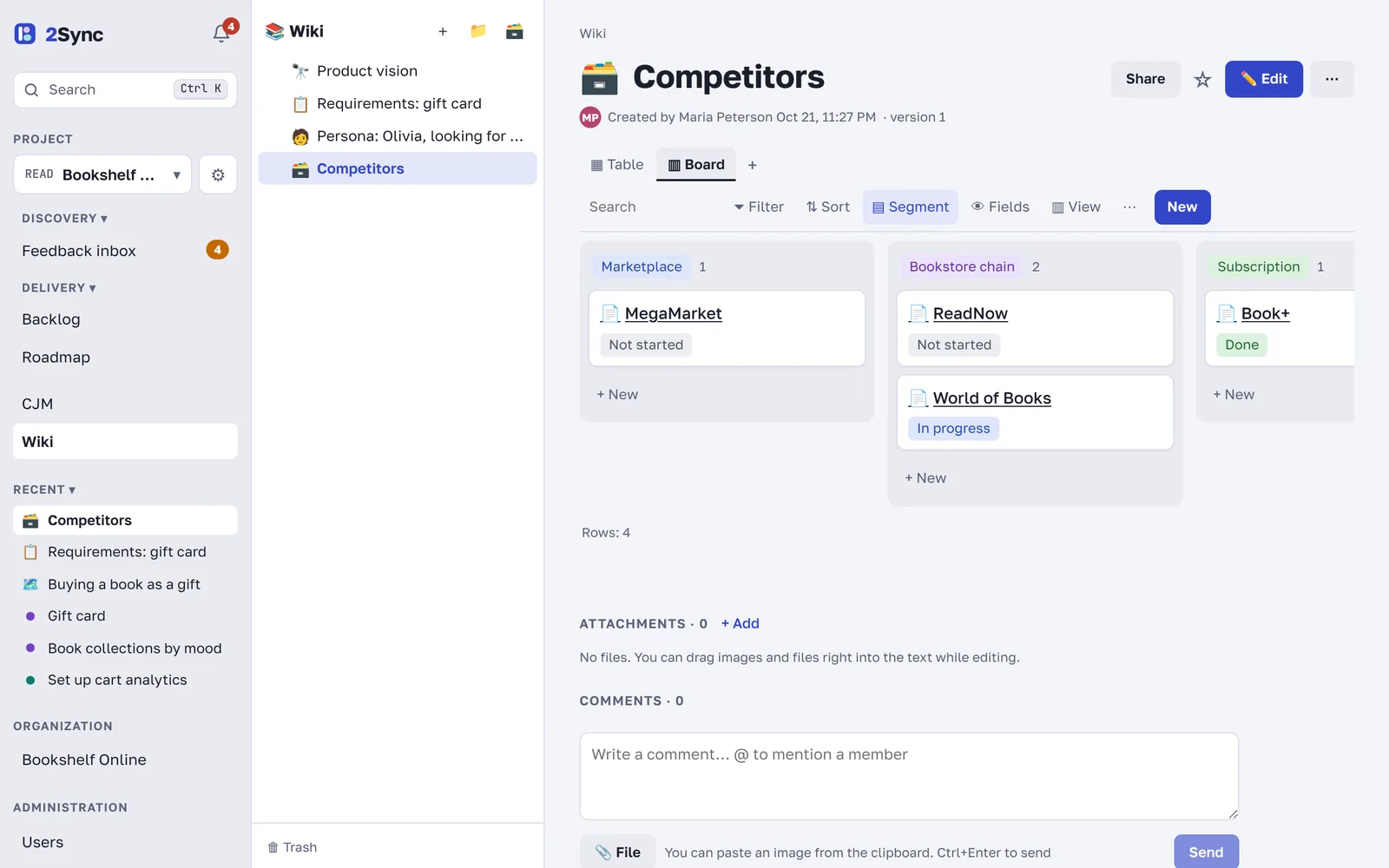
A database is a table of wiki pages with your own fields. Use it for competitors, customer interviews, a content plan, a list of hypotheses or hiring. Every row is a full page, and the same data can be viewed as a table, a board, a calendar or a gallery.
Create a database
Click 🗃 above the wiki tree, or
type /database inside any page to insert a database right into the text.
A new database starts with a Status property and two views: Table and Board. Add a row with the New button or + New under the table. Open a row to write in it like on a regular page.
Add properties
Click a column header or ⋯ → + Add property. Property types:
Type | Used for |
|---|---|
Text, Number, Checkbox | plain values; numbers can be formatted as rubles, dollars, euros or percent |
Select, Multi-select, Status | options with colors |
Date | deadlines and events, with optional reminders |
Person | owners and participants |
Link, Email, Phone | contacts and addresses |
Relation, Rollup | a link to another database and calculations over linked rows |
Formula | a value computed from other properties |
Created time, Last edited time, Author | filled in automatically |
A date property has Remind the row's people: on the day, 1 day, 3 days or 1 week before. The reminder goes to the people in the row's Person properties, or to the row's author if those are empty.
View it differently
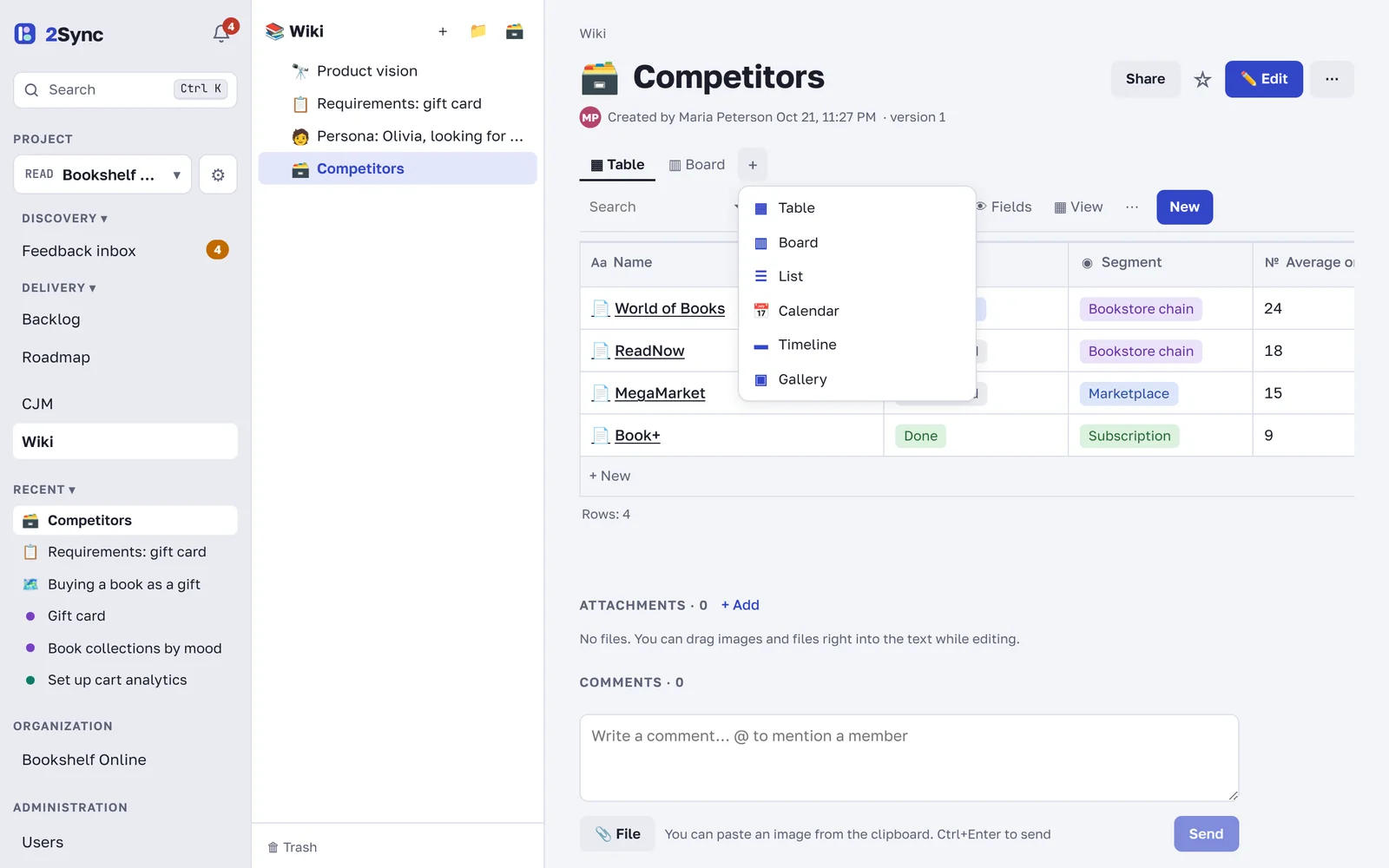
The + next to the view tabs adds a view: Table, Board, List, Calendar, Timeline or Gallery.
Each view has its own settings:
Filter keeps only the rows you need;
Sort sets the row order;
Groups split rows by a property value;
Fields choose which properties this view shows.
Project records, meaning ideas, problems and tasks, are a database too. Add your own fields and views to it under Backlog → Views and fields.
Relations, rollups and formulas
A Relation connects rows of two databases, for example competitors and their features. Check Show the relation in that database too to see it from both sides.
A Rollup calculates over related rows: count, sum, average, minimum, maximum, percent checked and more.
A Formula computes a value:
prop("Price") * 0.9,if(prop("Score") > 3, "large", "small"),dateAdd(prop("Date"), 3, "days"). The function reference opens right in the formula editor.
CSV import and export
The database ⋯ menu has ⇩ Download CSV (this view) and ⇧ Import from CSV. It's an easy way to move a table from Excel or Google Sheets and back.
FAQ
Can I make a row template?
Yes. Open a row, set it up and click Make template. The template appears in the New button.
How do I change values automatically?
Use automation rules. See Automations, reminders and recurring pages.