Automations, reminders and recurring pages
2Sync can handle part of the routine for you: set values when a status changes, notify the right people, remind about deadlines and create pages on a schedule. No developer needed.
Database rules
A rule fires when a row is added to a database or a property changes, and performs one or more actions.
Open the database. For ideas, problems and tasks that's Backlog → Views and fields.
Click ⋯ on the view toolbar and choose ⚡ Automations.
Click + Rule and name it.
In the When row pick the event: a row is added or change in "Property" to a specific or any value.
In the Then row pick an action and click Save.
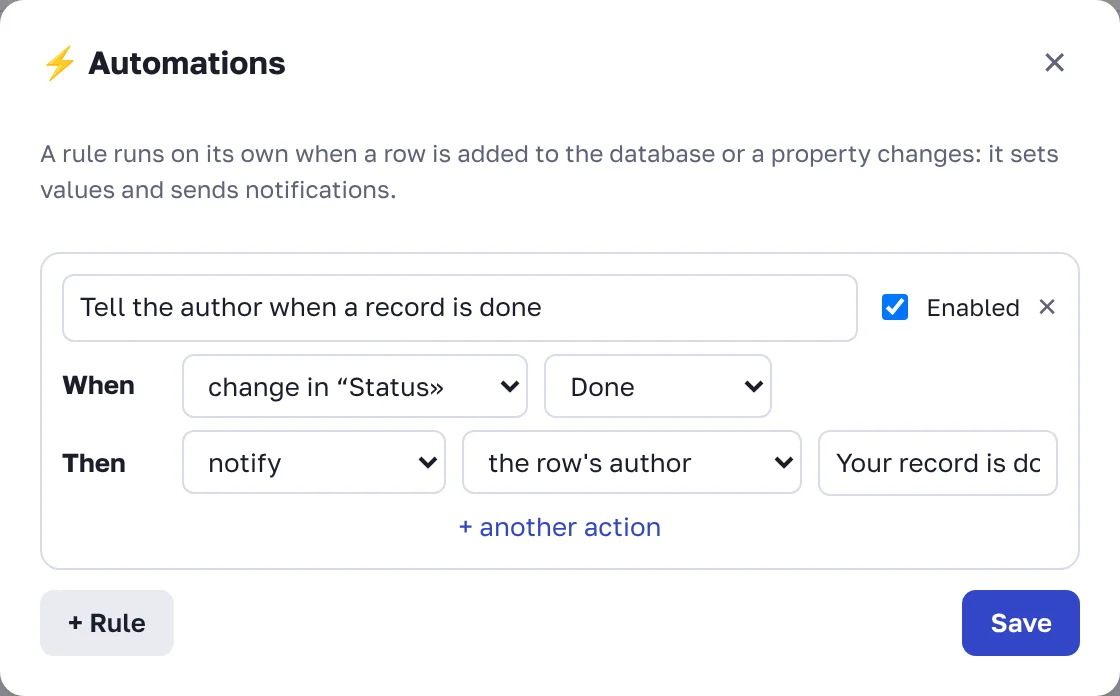
What actions can do:
set "Property": write a value: an option, text, the date "today", check a checkbox or clear the field;
notify: send a notification with your text to the row's author, whoever made the change, or the people in a Person property.
+ another action adds several actions to one rule. Uncheck Enabled to pause a rule.
Examples:
status changes to "Done" → notify the author "Your record is done";
a row is added → set status "Not started" and date "today";
status changes to "In review" → notify the people in the "Reviewer" property.
Date reminders
Tasks and problems have a Due date: a day before it the assignee gets a reminder, or the author if nobody is assigned. In databases, reminders are set on a date property: open the property settings and choose an option in Remind the row's people: on the day, 1 day, 3 days or 1 week before. The reminder goes to the people in the row's Person properties, or to its author if those are empty.
Recurring pages
For daily stand-ups, weekly reports and regular checklists:
Prepare a template page in the wiki.
In the ⋯ menu choose 🔁 Repeat on schedule.
Choose how often: Every day, On weekdays or Once a month, and the time (Moscow time).
Choose where new pages go and how they are named. {date} in the title is replaced with the creation date.
A copy of the page with its text and properties appears on schedule. Create now creates a page right away without waiting.
FAQ
Can one rule trigger another?
No. Changes made by a rule don't trigger other rules, so automations never loop.
Who is notified about a page created on schedule?
The person who set up the schedule.