REST API and webhooks
2Sync connects to your systems: a CRM, your website, a chatbot, a task tracker or a messenger. The REST API lets you read and change records and read the wiki, while webhooks tell your server about events in the project.
Where to find the settings
Open the Feedback inbox and click Settings.
Go to the Feedback and API tab. Project managers can see it.
The API for your backend block holds the project secret. Click Show to see it. Keep the secret on your server only: anyone can read it in the code of a web page. If it leaks, click Generate a new secret; the old one stops working immediately.
REST API
Every request passes the secret in the Authorization: Bearer <secret> header.
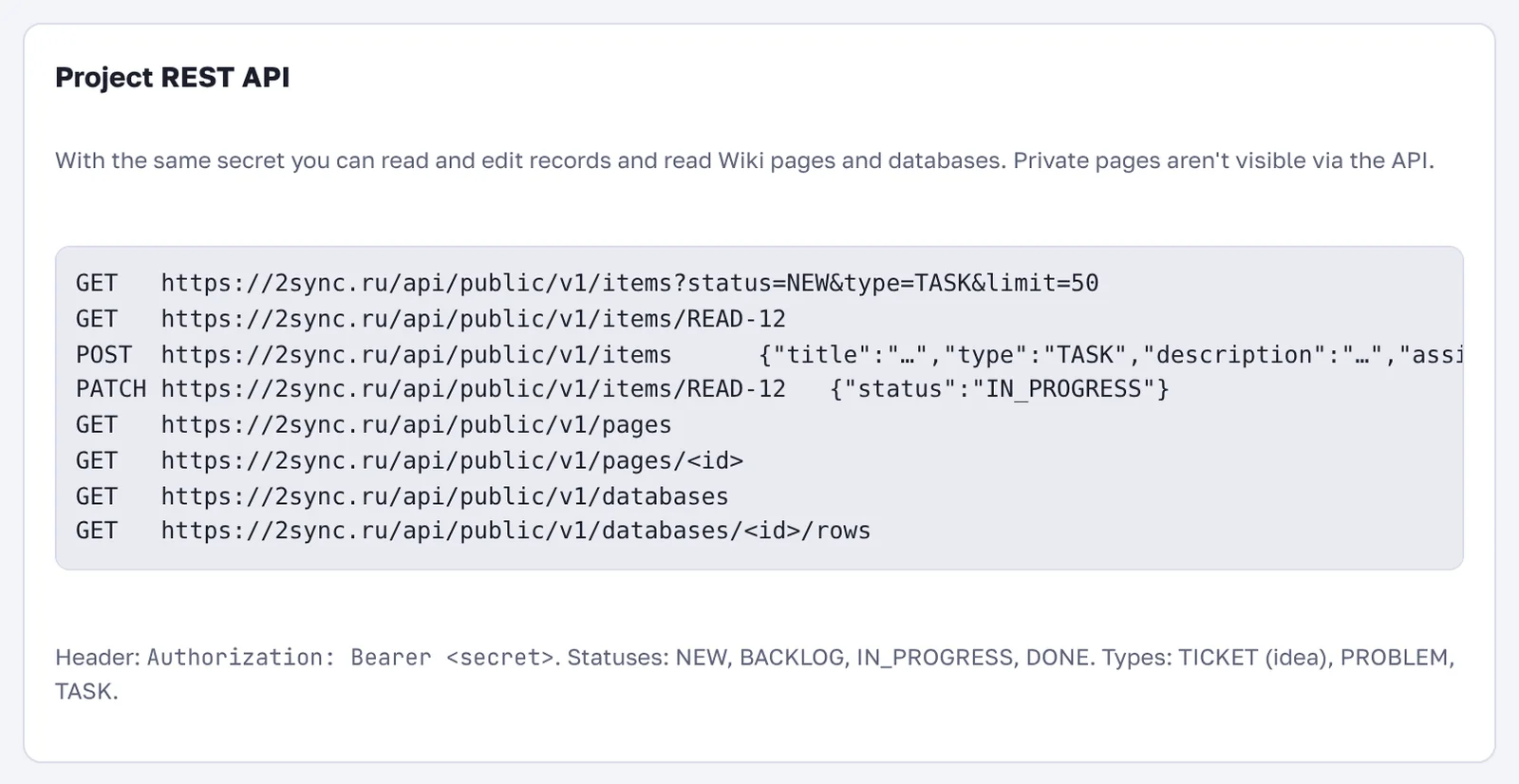
Request | What it does |
|---|---|
| list records with filters |
| one record by key |
| create a record |
| change a record, for example its status |
| wiki pages |
| databases and their rows |
| send feedback to the inbox |
Statuses: NEW, BACKLOG, IN_PROGRESS, DONE. Types: TICKET (idea), PROBLEM, TASK. Private pages aren't available through the API.
Example: create a task and assign it to a colleague.
curl -X POST https://2sync.ru/api/public/v1/items \
  -H "Authorization: Bearer <secret>" \
  -H "Content-Type: application/json" \
  -d '{"title":"Update the banner","type":"TASK","assignee":"anna@example.com"}'
Webhooks
A webhook is an address on your server where 2Sync sends a POST with JSON when something happens in the project.
Enter the address in the Webhooks block.
Check the events you need. If you check none, all events are sent.
Click Add webhook, then Test to send a test event.
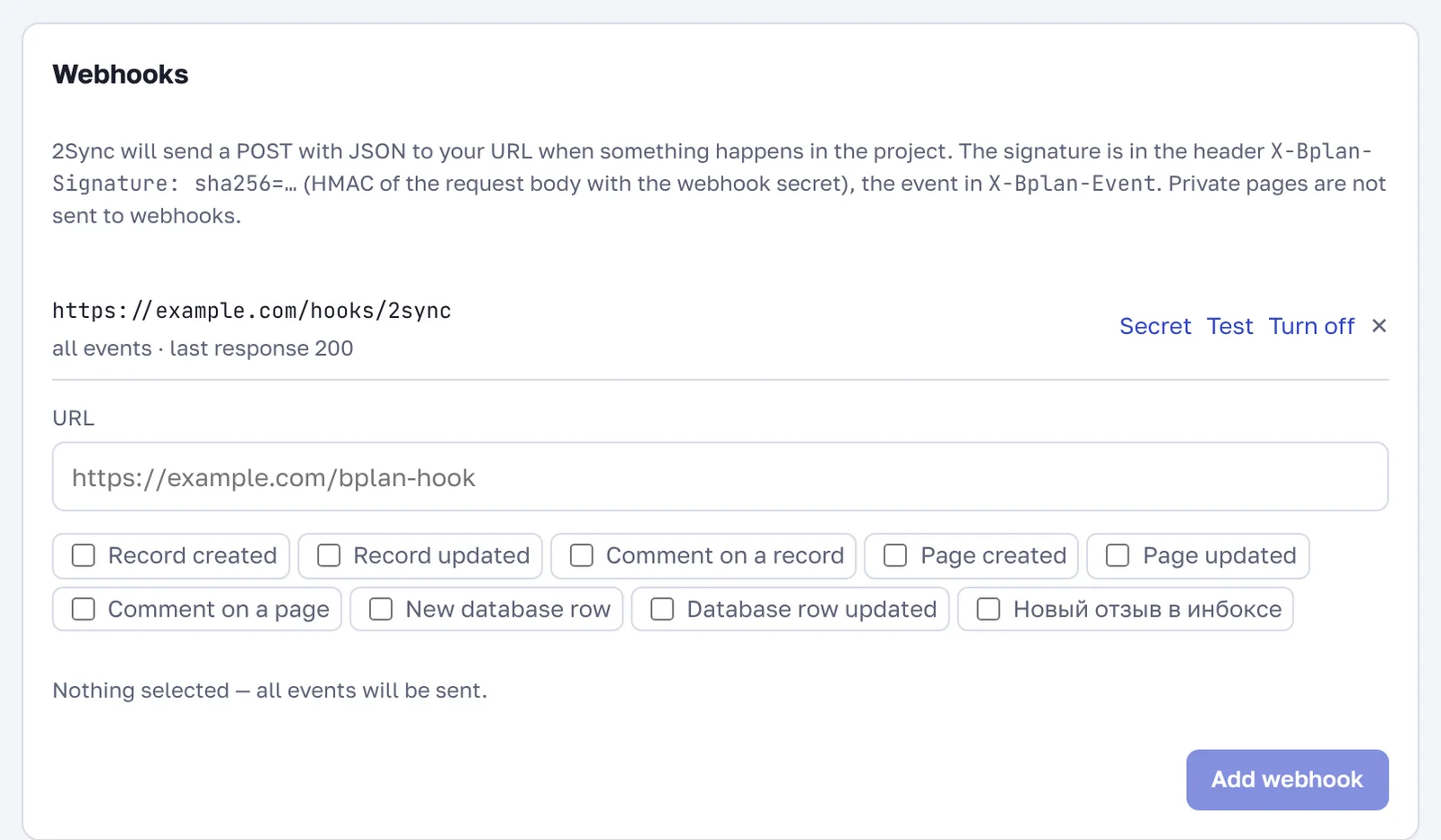
Events: record created and changed, record comment, page created and changed, page comment, database row added and changed, new feedback in the inbox.
Every request is signed: the X-Bplan-Signature header holds sha256=…, an HMAC of the request body with the webhook secret, and X-Bplan-Event holds the event name. The Secret button shows the webhook secret. Verify the signature to accept requests only from 2Sync. Private pages never go to webhooks.
Under the webhook address you see your server's last response. Turn off pauses a webhook.
FAQ
Can I send feedback from my own app?
Yes, with POST /api/public/v1/feedback. Optional fields: email, name, pageUrl and screenshot (a base64 image). The feedback arrives in the inbox marked as API.
How many webhooks can I add?
Up to 10 per project.