How to publish a page to the web
Any wiki page can be opened with a secret link to people without a 2Sync account: customers, partners or candidates. It's a handy way to share documentation, terms, release plans and FAQs.
Publish a page
Open the page and click ⋯ in the top right.
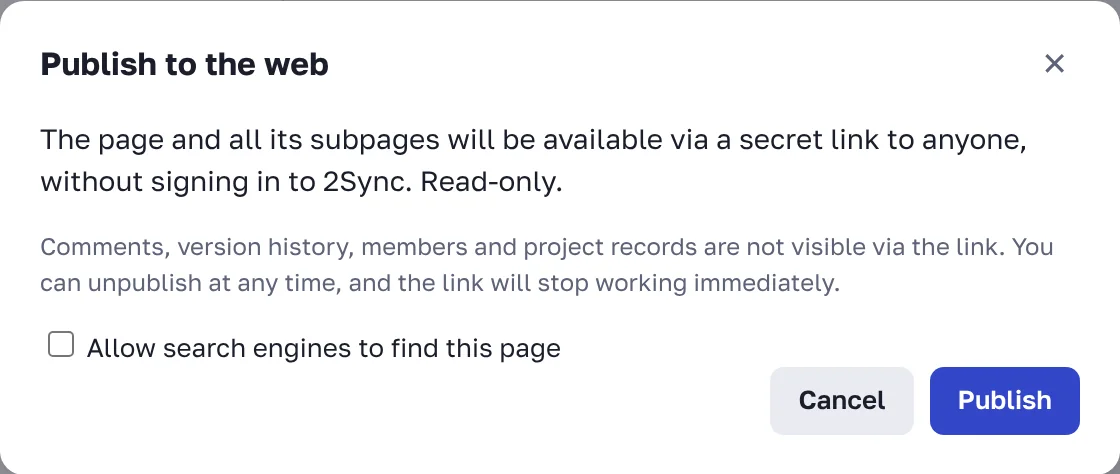
Choose 🌐 Publish to the web.
If you want Google and other search engines to find the page, check Allow search engines to find this page.
Click Publish and copy the link.
What people see through the link
The page itself and all pages inside it, read-only.
Images and files from the text.
Comments, version history, members and project records aren't visible. Links to records show as plain text. Private nested pages aren't published.
Changes to the page show up through the link immediately; there is no need to publish again.
Unpublish
Open ⋯ → Publish to the web and click Unpublish. The link stops working immediately. If you publish the page again, it gets a new link.
The link is secret, but anyone who has it can forward it. Don't publish pages with passwords or personal data.
FAQ
Why is the page already open by link even though I didn't publish it?
A page higher up in the tree is published. Publishing covers all nested pages. The publish window tells you which one.
Can a public page stay out of search results?
Yes, by default search engines don't see published pages. Indexing is turned on only with the Allow search engines to find this page checkbox.