How to present and publish a roadmap
A finished roadmap needs to be shown: to the team at planning, to leadership, to customers or on your website. 2Sync has a presentation mode, image and PDF export, a public link and an embed code.
Presentation mode
Click ▶ Present. The roadmap opens full screen without extra buttons. The ← → arrows scroll through time, Scale changes the step, and Esc closes the presentation.
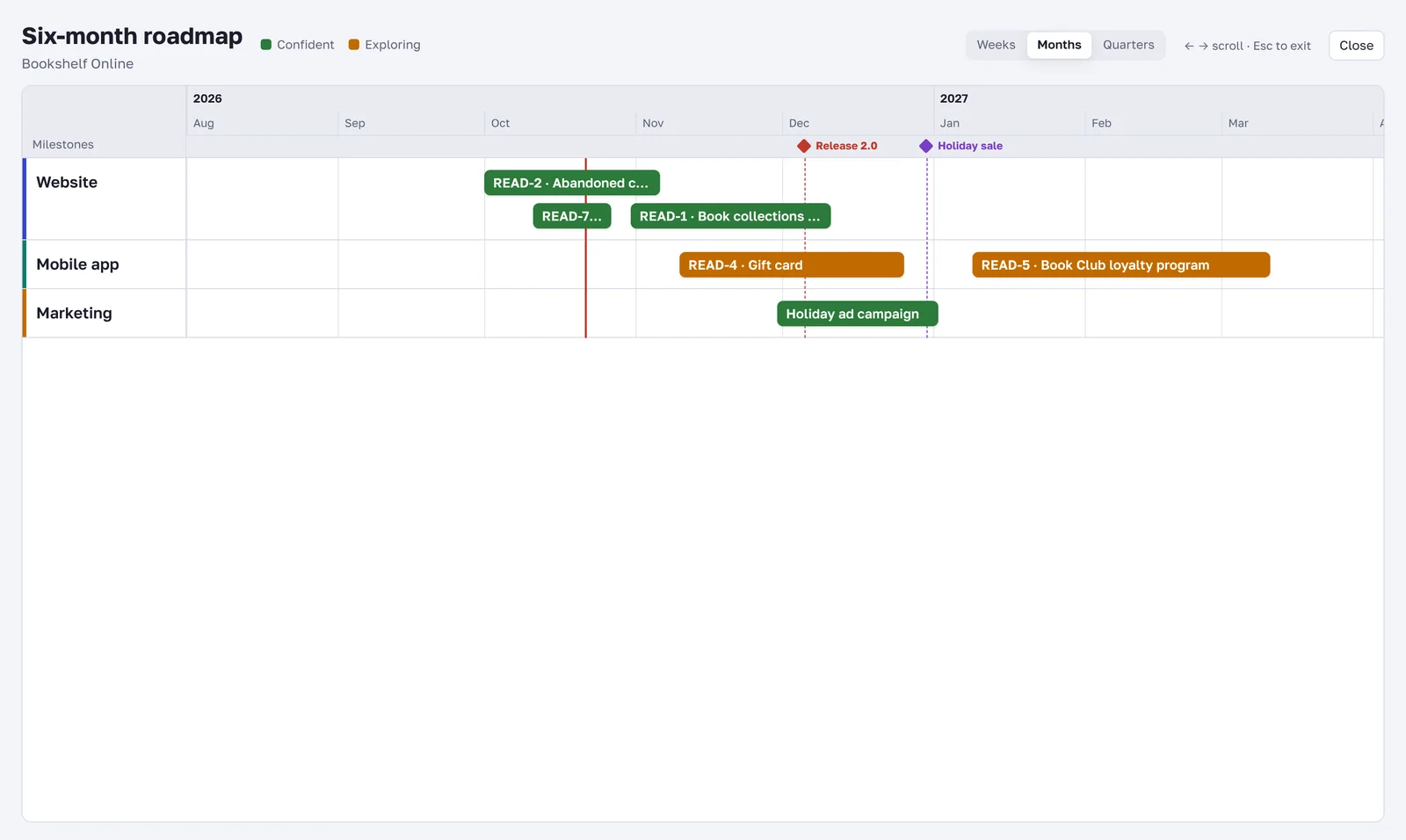
Export to PNG and PDF
The PNG and PDF buttons download the whole roadmap with all lanes, milestones and the legend. PNG is easy to drop into slides or a chat; PDF is good for email and printing.
A link for everyone
Click Share.
Check Open to anyone with the link.
Copy the link and send it.
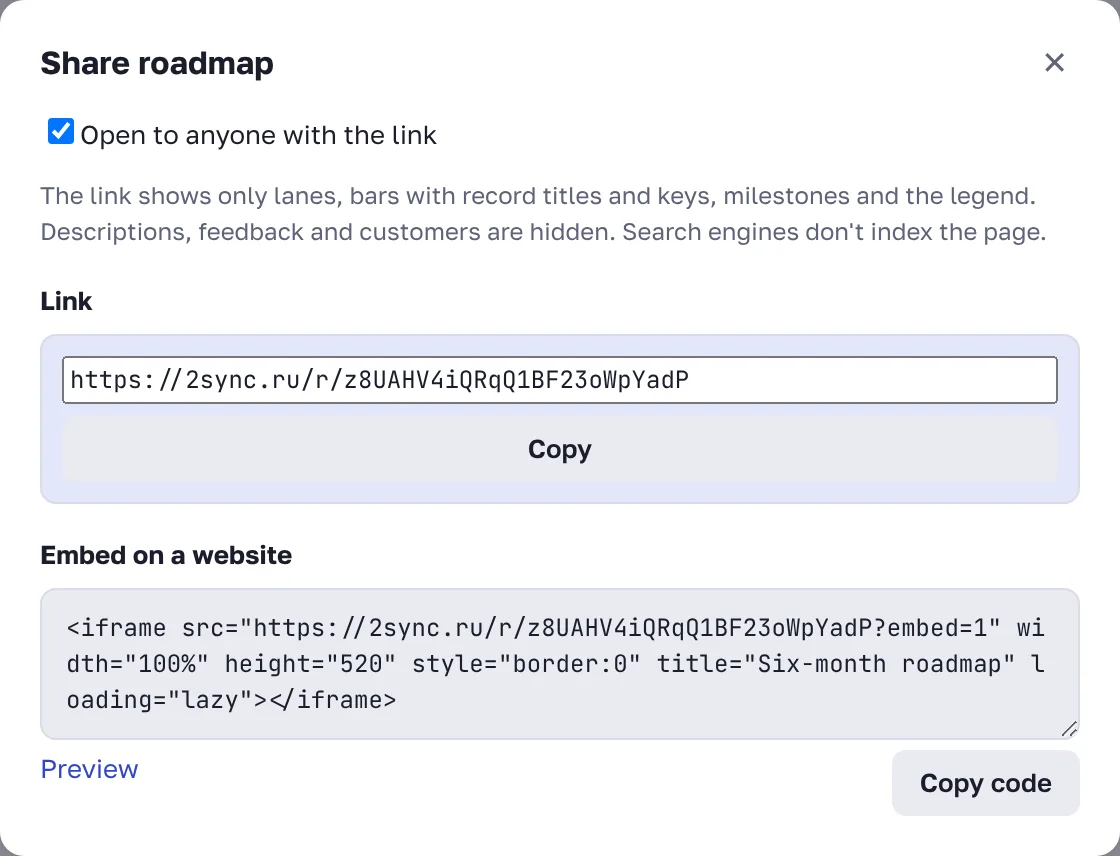
The link shows only lanes, bars with record titles and keys, milestones and the legend. Descriptions, feedback and customers stay inside. Search engines don't index these pages. To close access, uncheck the box: the link stops working immediately.
The roadmap on your website
The same window has an Embed on a website block. Click Copy code and paste it into a page of your site, for example "What we're working on". The roadmap updates itself whenever you move bars in 2Sync. Check how it looks with Preview.
The organization roadmap
When you have several projects, it helps to see their plans on one timeline.
On the roadmap page click Organization roadmap →.
The organization owner clicks Build combined roadmap and picks project roadmaps. If none are picked, all of them are included.
Everyone sees only the projects they have access to. Bars are read-only here: they are changed in their own project's roadmap. The organization roadmap can also be presented, exported and shared by link.
FAQ
Will customers see internal comments through the link?
No. The link shows only the timeline: lanes, bar titles, milestones and the legend.
Do I need to update the code on my site after changes?
No. The code stays the same, and the embedded roadmap always shows the current state.