Team, roles and project access
In 2Sync people belong to an organization. Inside it you decide who sees which project and what they can do there. Data of different organizations is fully separated.
How access works
An organization is your company or team. People and projects live in it.
An organization owner invites people, creates projects and sees every project of the organization.
An organization member sees only the projects they were given access to.
People in one organization can't see the people or data of another.
Invite your colleagues
Open the organization page: its name in the left menu, under Organization.
In the Invite someone block, enter an email, a name and a role.
Click Get invitation link and send the link to your colleague. They will set their own password and sign in.
If you fill in the Password field, the account is created right away and no link is needed.
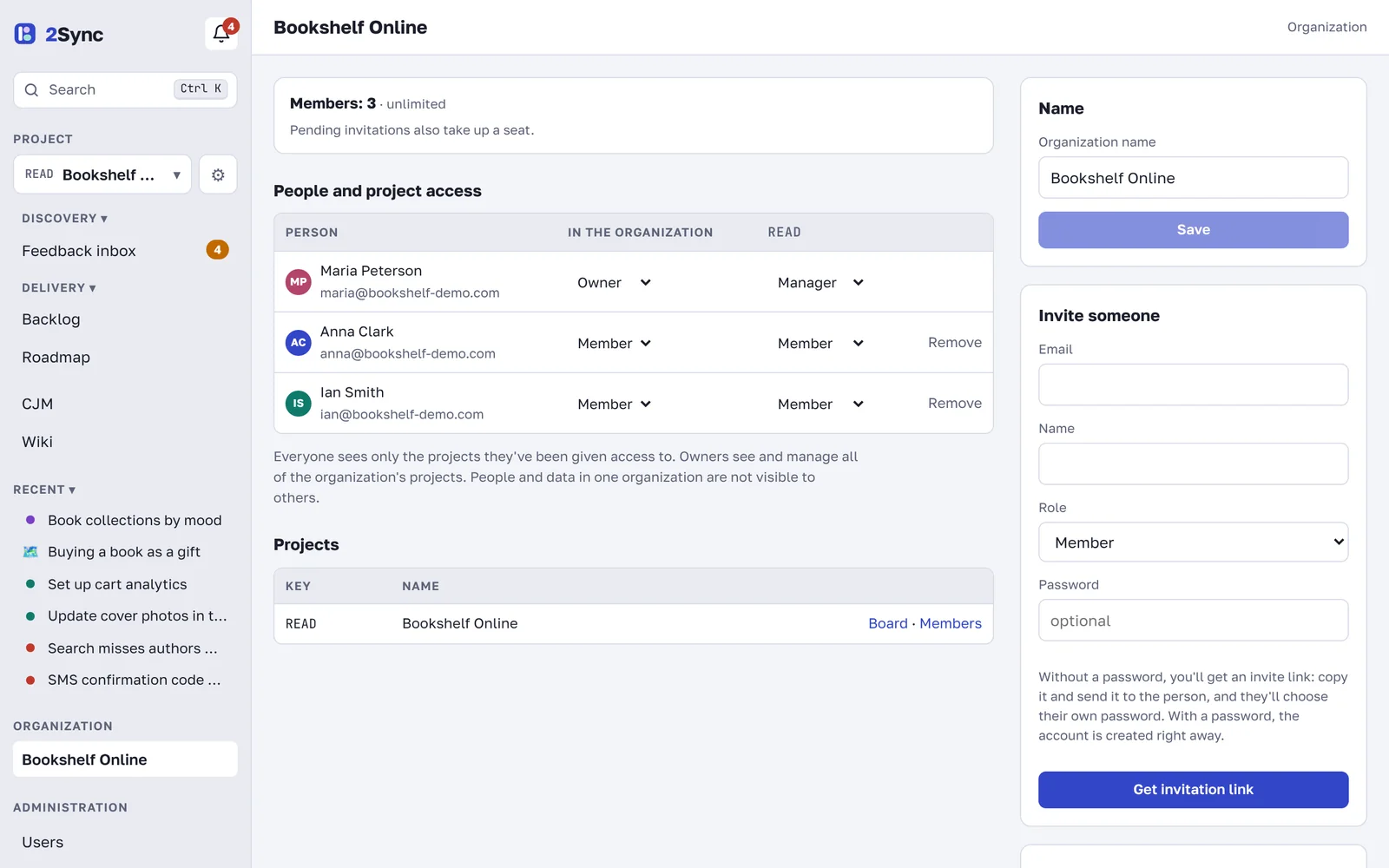
An organization may have a member limit. It is shown at the top of the page. Invitations that haven't been accepted yet also take a seat.
Give access to projects
The People and project access table has a column for each project. Pick a project role for each person, or "no access". The roles:
Role | What they can do |
|---|---|
Manager | everything in the project: members, settings, widget, deleting any item; receives new feedback |
Member | creates and edits ideas, problems, tasks, wiki pages, CJM maps and roadmaps |
Viewer | only views and comments |
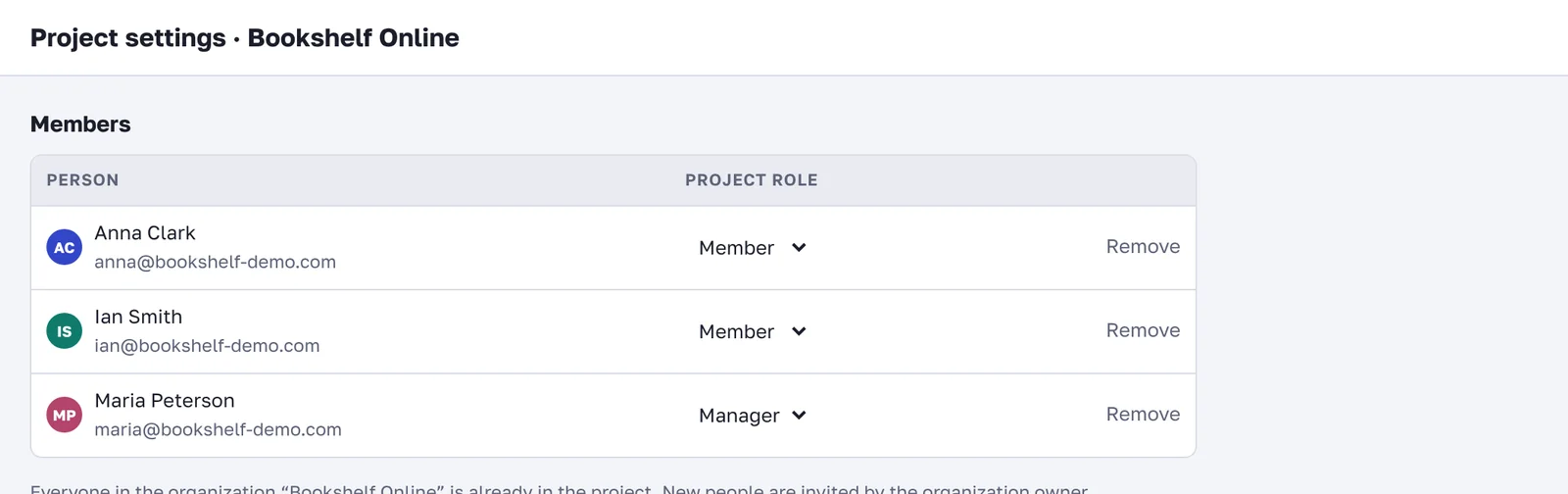
You can do the same from inside a project: click ⚙ next to the project name in the left menu to open Project settings with the member list.
Personal space
Everyone has a Personal space that only they can see. It is a handy place for drafts, personal tasks and notes that aren't ready for the team yet.
FAQ
How do I remove someone from a project?
Set them to "no access" in the table on the organization page, or click Remove in the project members. Their records and comments stay.
Can I share one wiki page with someone outside the team?
Yes. Open the page, click Share and enter their email. A guest sees only this page and the pages inside it. See Wiki: pages and collaboration.